
Why Is My Business Not Showing Up On Google Maps? Fixes
You searched for your business on Google Maps and got nothing. No pin, no listing, nothing at all—it’s infuriating, especially when you know people are looking for exactly what you offer.
The good news? Most reasons your business isn’t showing up on Google Maps are totally fixable, and honestly, a lot of them don’t take as long to sort out as you might think.
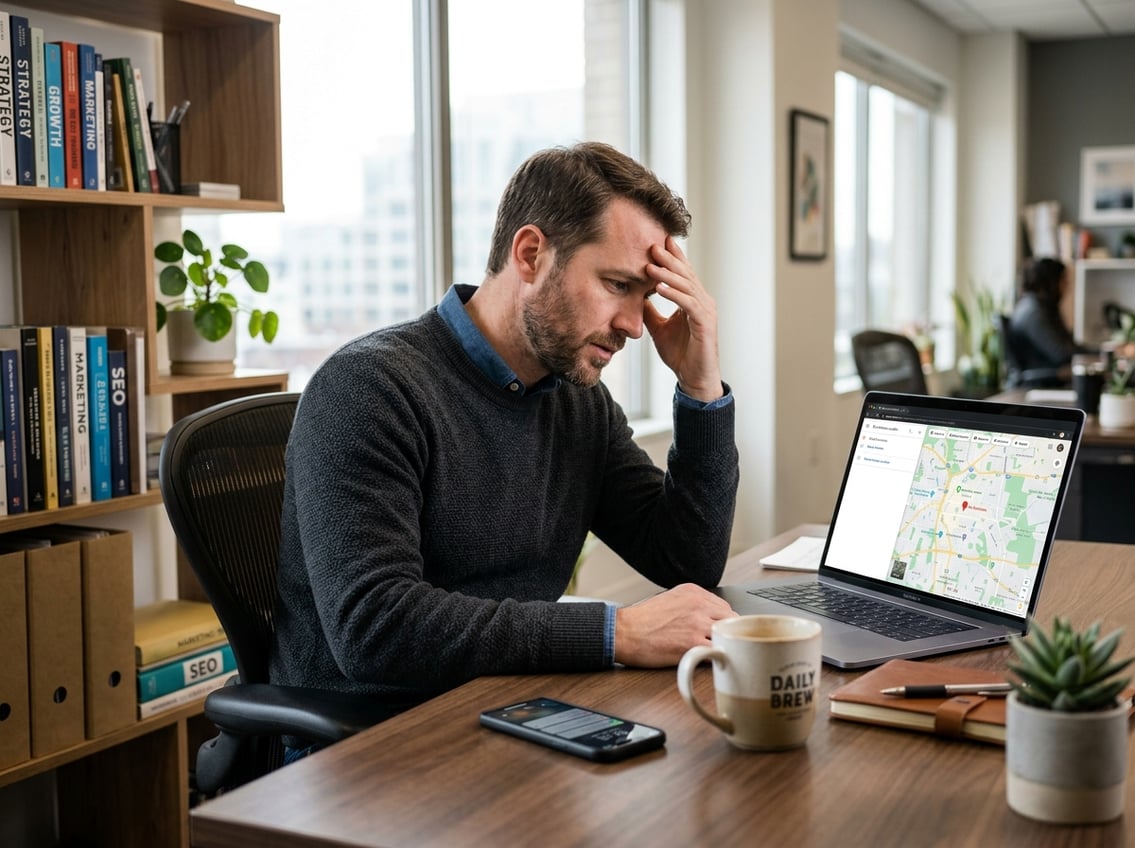
The most common culprits: your Google Business Profile isn’t verified, your listing breaks a rule you didn’t know about, your info is incomplete or inconsistent, or you just haven’t built up enough trust signals for Google to show your business yet.
Sometimes, it’s just a proximity thing—Google tends to show results closer to where the searcher is.
This guide breaks down each problem and the steps you can take to fix it. Whether you’ve got a storefront or you’re a service-area business, you’ll find some practical answers here.
If you hit a wall and want expert help, SEO My Website Guru does this kind of local SEO all the time for small businesses in Brazoria County and beyond. They offer a 30-Day Results Guarantee, transparent reporting, and focus on Google Business Profile optimization and trade-area strategy. Reach out at (979) 487-3296 or check out seomywebsite.guru to get started.
Key Takeaways
- Your business won’t appear on Google Maps until your Google Business Profile is claimed, filled out, and verified.
- Breaking guidelines—like stuffing keywords in your business name or using a fake address—can get your listing suspended with zero warning.
- To stick around on Google Maps, you need consistent info, real reviews, good photos, and local authority signals all working together.
Start With Your Google Business Profile Status

Your Google Business Profile is the foundation for showing up on Google Maps. If it’s missing, unverified, or someone else controls it, nothing else will matter until you fix that first.
Claim Or Create Your Google Listing
Start by searching your business name on Google Maps. If you see “Claim this business,” click it and follow the steps.
If nothing pops up, head to google.com/business and create a new profile from scratch. It’s free and you’ll need it to show up in the local pack or on Maps.
Fill out every field honestly—business name, address, phone, website, hours, and categories all need to be accurate right from the start.
Complete Verification Before Expecting Visibility
An un verified listing won’t show up on Google Maps, even if everything else looks perfect in your dashboard. Verification proves your business is real and you’re allowed to manage it.
Most people verify through postcard—Google mails a code to your physical address. Some get lucky with phone, email, or video verification. Don’t skip this step and then wonder why your listing is invisible.
Request Ownership If Someone Else Controls The Profile
Sometimes, a former employee, a past marketing agency, or even a random person claims your listing. If you see someone else managing your profile, you can request ownership through Google.
The current manager gets notified and has a set time to respond. If they don’t, Google might transfer it to you. This can take a couple of weeks, so start as soon as you spot the problem.
Know The Difference Between A New Listing Delay And A Real Problem
Brand-new listings don’t always show up on Maps right after verification. It might take a few days or even a few weeks for Google to process and display your info.
Sometimes you’ll see your profile in Google Search but not yet on Maps. That’s pretty normal. But if two or three weeks go by and you still have zero views or visibility, something else is probably going on and you’ll want to dig deeper.
Fix Suspensions, Guideline Violations, And Risky Setup Choices

Google can yank your listing from Maps without warning if you break a rule. The annoying part? They rarely tell you exactly what went wrong, so you’ve got to know the usual triggers and how to fix them.
Spot A Soft Suspension Vs A Hard Suspension
There are two types of suspensions, and they’re pretty different. A soft suspension means your listing is still public, but you lose the ability to manage or edit it in your dashboard.
A hard suspension wipes your listing off Google Search and Maps completely. You’ll need to fix the root issue before asking for reinstatement. Not sure which one you’re dealing with? Search your business on Maps. If it’s gone, you’re probably dealing with a hard suspension.
Remove Keyword Stuffing From Your Business Name
This one’s super common. If you add extra keywords to your business name, like “Smith Plumbing – Emergency Water Heater Repair & Drain Cleaning,” that’s a violation unless it’s your actual legal name.
Sure, it might seem like a clever way to rank, but Google’s spam filters catch it all the time. As Search Engine Journal points out, keyword stuffing is a top reason for suspensions. Edit your name to match your business license or your signage, and you’ll be fine.
Avoid Fake Address And Virtual Office Problems
Google wants real businesses at real locations. Using a virtual office, PO Box, UPS Store, or a friend’s house as your address? That’s a fast track to suspension.
If you’re a service-area business (like a plumber or cleaner), hide your address and set your service areas instead. You don’t need a storefront address to show up on Maps—just set up your listing the right way. If customers come to your location, display your address and make sure it’s accurate.
Submit A Clean Reinstatement Request
If you’re suspended, don’t create a new listing. That only makes things messier. Instead, check Google’s guidelines, fix every issue you spot, and then submit a reinstatement request through Google Business Profile Help.
Attach supporting docs like your business license, utility bills, or storefront photos. Be thorough and honest. Reinstatement can take a while, and a sloppy submission just slows it down even more.
Get Your Core Profile Details Aligned

Even if you’re verified, your listing can underperform if your Google Business Profile details are incomplete or off. Categories, service areas, hours, and your description all play a part in when and where you show up.
Choose The Best Primary Category First
Your primary category has the most impact on what searches trigger your listing. Google uses it to match you with what people are looking for.
Pick the single category that truly describes your main service. If you’re a dentist, pick “Dentist,” not “Health and Wellness.” If you’re HVAC, pick “HVAC Contractor.” Check what competitors in your area use if you’re not sure—sometimes that gives you a clue about what works locally.
Add Secondary Categories Without Overreaching
Secondary categories let you tell Google about extra services. A family law attorney might add “Divorce Lawyer” or “Child Custody Attorney.”
But don’t get carried away. Adding categories you don’t actually offer just confuses Google and waters down your relevance. Stick to what you really do and want customers to find you for.
Set Accurate Service Areas, Hours, And Attributes
If you’re a service-area business, your service area settings tell Google where to show your listing. Set these to the cities or counties where you actually work. Too broad or too narrow can both hurt.
Business hours should match reality. If Google says you’re open but a customer finds you closed, that’s a bad experience and hurts your listing. Update hours for holidays or special events as needed.
Attributes like “wheelchair accessible,” “women-owned,” or “free Wi-Fi” add detail. Fill in every attribute that applies. These little things help Google match you to the right searches.
Write A Clear Business Description And Services List
Your business description gives you 750 characters to explain what you do, who you serve, and where you operate. Use natural language and local keywords, but don’t turn it into a keyword dump.
For your services list, add each thing you offer with a short, clear description. This helps Google understand your full scope, and it helps customers know what you actually do. Your website and your Google Business Profile should tell the same story—consistency matters.
Clean Up Conflicting Listings Across The Web

Your Google Maps visibility isn’t just about what’s in your Google Business Profile. Google checks how your business info appears all over the internet. Inconsistent or duplicate listings send mixed signals and can drag down your local rankings.
Run A NAP Consistency Check
NAP stands for Name, Address, and Phone Number. Every place your business is listed online, from Yelp to Yellow Pages to Apple Maps, should show the exact same NAP information.
Even tiny differences matter. "Suite 200" versus "Ste. 200" or a missing digit in your phone number can throw things off.
Google checks your details across dozens of sources, and when it spots inconsistencies, it’s less likely to trust your listing. As The Ad Firm notes, cleaning up your NAP is one of the best things you can do for local search visibility.
Find And Remove Duplicate Listings
Duplicate listings pop up more often than you’d expect. They might come from old owners, past marketing agencies, automated data feeds, or even from Google itself.
According to Google's duplicate profile guidelines, duplicates won’t show on Google Search or Maps and can confuse your customers. Search for your business on Google Maps and Google Search using different versions of your name and address.
If you spot duplicates, request removal through your Google Business Profile dashboard or use the "Suggest an edit" feature if you don’t own the listing.
Update Major Directories And Data Aggregators
Big data aggregators like Neustar Localeze send your business info to hundreds of smaller directories. If your data is wrong at the aggregator level, that bad info spreads everywhere fast.
Start by updating your listings on the biggest platforms: Yelp, Yellow Pages, Apple Maps, Bing Places, and Facebook. Then, hit up industry directories that matter for your business.
Consistent info across these platforms gives Google more reason to trust your listing in Maps.
Use Local Listing Tools To Speed Up Cleanup
Manually updating every directory is a slog. Tools like BrightLocal and Moz Local can scan for inconsistencies, spot duplicate listings, and push corrections to a bunch of platforms at once.
These tools really help if your business has changed names, moved, or updated its phone number. If you’re feeling overwhelmed, this is one of those times when a local SEO service like SEO My Website Guru can save you a ton of time and keep you from making costly mistakes.
Build The Trust Signals Google Uses To Rank Local Businesses

Having a verified, well-configured profile is important, but it’s not the whole story. Google also looks at how much local authority and credibility you’ve built up.
Reviews, photos, engagement, and local backlinks all factor into whether you show up in the local pack or get lost below your competitors.
Earn More Customer Reviews And Respond To Them
Review volume and recency are huge local ranking factors. A business with 4.6 stars and 200 reviews usually outranks a business with 5.0 stars and only 8 reviews.
Ask happy customers to leave a Google review after every job, appointment, or purchase. Make it easy—send them a direct link.
Respond to every review, good or bad. Google notices when you engage, and so do potential customers.
Keep your responses professional and specific. Even a simple, consistent review strategy builds trust with both Google and your future customers.
Add High-Quality Photos And Regular Google Posts
A Google Business Profile without photos just looks sad. Upload high-quality shots of your storefront, your team, your work, and your products on a regular basis.
Real photos from your location beat stock images every time. Geotagged photos? Even better.
Google Posts let you share updates, offers, events, and news right on your profile. Posting regularly shows Google you’re active and engaged.
It’s kind of like a mini social media update, but it pops up right when people are deciding whether to call you.
Strengthen Local Authority With Backlinks And Local Press
Local backlinks come from other websites in your area linking to your business website. They tell Google that real organizations in your community recognize you.
Look for chances to get links through local chambers of commerce, community groups, local press, sponsorships, and partnerships. Even a mention in a neighborhood blog or news article helps.
Branded searches—when people type your business name directly into Google—also signal authority. The more folks search for you by name, the more Google sees you as a local leader.
Avoid Fake Reviews And Other Shortcuts
Buying reviews, posting fake ones, or swapping reviews with others might look tempting, but Google’s pretty sharp about catching it. If you get caught, you risk review removal, profile suspension, or even permanent penalties.
As Google's local ranking tips explain, prominence comes from real engagement, not shortcuts. Stick with genuine reviews from real customers. It takes longer, but it actually lasts.
Support Maps Visibility With Website And Trade-Area SEO
Your Google Business Profile doesn’t work in a vacuum. Your website and your broader local SEO strategy can lift your Maps visibility—or quietly drag it down.
When your profile and website send the same, locally relevant signals, Google feels more confident ranking you higher.
Match Your Website To Your Google Business Profile
Your website and your Google Business Profile should match up. Make sure your business name, address, phone number, hours, and services line up exactly between the two.
If your website says one thing and your profile says another, Google starts to doubt. Put your NAP info somewhere obvious on your website, like in the header or footer of every page, and definitely on a contact page.
Link your business website to your Google Maps listing, and link your Google Business Profile back to your website. This loop helps prove both belong to the same real business.
Use LocalBusiness Schema And Strong Location Signals
Schema markup is a chunk of code you add to your website that helps search engines understand your business details. LocalBusiness schema tells Google your business name, address, phone number, hours, service area, and more in a way it can easily read.
According to Google's documentation on adding business details, structured data helps your business show up better in search. If you’re not sure how to add schema, your web developer or a service like SEO My Website Guru can handle it during a site build or SEO audit.
Create Local Content And Location Pages Carefully
If you serve more than one location, dedicated location pages help Google see your relevance to each area. Make sure each page has unique, useful info about the services you offer there.
Don’t just copy and paste, swapping out city names—Google ignores those. Local content like blog posts about community events, neighborhood guides, or local industry topics shows you’re actually connected to the area.
This kind of content helps your Google Maps ranking and your local search visibility in general.
Know When Proximity Limits Your Reach
Google Maps results depend a lot on the searcher’s physical location. If someone’s five miles away and your competitor is two blocks from them, that competitor’s going to win on proximity, no matter what you do.
That’s just how local search works. You can expand your reach over time by building stronger local authority, earning more reviews, creating targeted local content, and using trade-area strategies to focus on neighborhoods and cities where your best customers are.
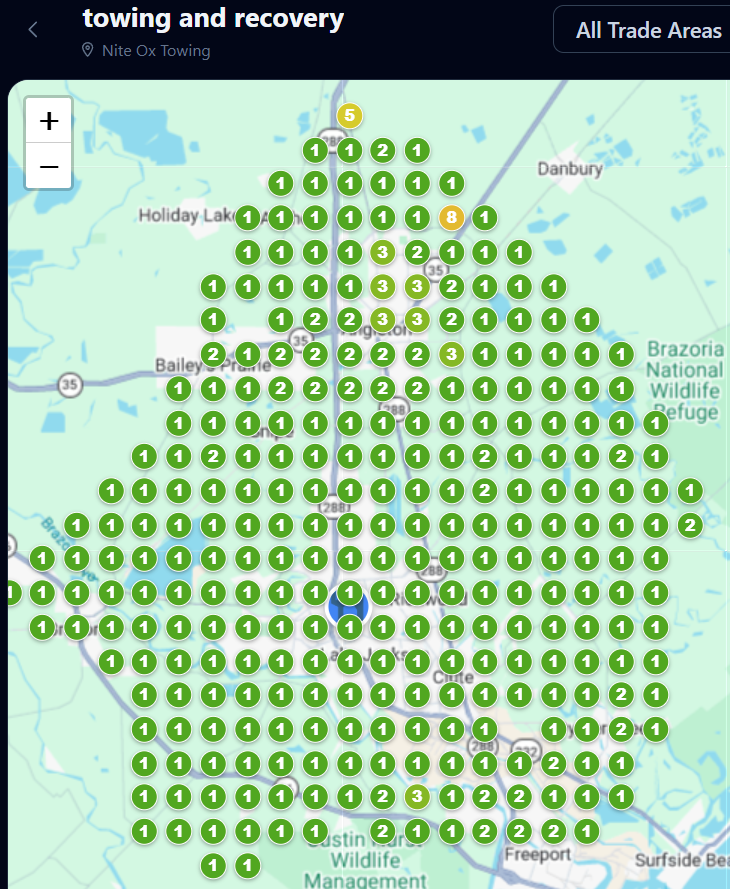
SEO My Website Guru uses tools like trade area geo-grid analysis and drive-time mapping to pinpoint where your visibility is strong and where you need help. That kind of insight can turn a frustrating Maps problem into a real growth plan.
Frequently Asked Questions
How long does it take for a verified business to appear on Google Maps?
Most verified businesses show up on Google Maps within a few days to two weeks. Sometimes it can take up to three weeks.
If your listing is still missing after that, there might be a deeper issue like a guideline violation or a duplicate listing that needs fixing.
Why isn't my Google Business Profile publicly visible after verification?
Your profile might still be under review, or it could have been flagged for a policy issue during the verification process.
Check your Google Business Profile dashboard for any notices or actions you need to take. If everything looks good and it’s been a few weeks, reach out to Google Business Profile support for help.
How do I verify my business on Google to show up on Maps?
Go to your Google Business Profile dashboard and follow the verification steps. Most businesses verify by postcard—Google mails you a code to your business address, and you enter it online.
Some businesses can verify by phone, email, or even video, depending on their category and location.
What should I do if my business address or pin location is wrong on Google Maps?
Log into your Google Business Profile and update your address directly. You can also drag the map pin to the right spot.
If someone else suggested a bad edit that Google accepted, fix it and keep an eye out for more changes. Keep your address consistent everywhere online to avoid future mix-ups.
Why can I find my business on Google Search but not on Google Maps?
This usually happens when your listing is new and still being processed, or if your profile has an issue that affects Maps display.
It can also happen if your address is hidden (like for a service-area business) and your service areas aren’t set up right. Double-check your SAB settings and make sure your listing is fully verified.
Why can't I see my business on Google Maps on Android?
Google Maps on Android sometimes just shows cached or location-specific results. Try clearing the app cache or updating Google Maps—honestly, that fixes a surprising number of weird issues.
If you search from a different device and your business shows up, then it's probably just your phone acting up. But if your business doesn't show up anywhere, you've likely got a problem with your Google Business Profile.